
To achieve sustainable AI search visibility and topical authority, you must transition from keyword-centric content to a robust Semantic Content Network (SCN). This involves mapping entities, establishing clear content relationships, and aligning with core search intent, a process that typically spans 4-6 weeks of dedicated effort and demands advanced data analysis skills.
What You Need:
- Access to Google Search Console and Google Analytics 4.
- A functional understanding of Google Cloud Platform for API interaction (covered in later sections).
- A modern CMS (e.g., WordPress with Advanced Custom Fields, Sanity.io, Webflow CMS) supporting structured data.
- Validated topic clusters from initial research.
If your meticulously crafted blog posts are disappearing from search results, you’re experiencing the zero-click search reality. Current estimates show over 65% of Google queries result in no clicks to external websites. AI Overviews prioritize highly trusted sources, burying traditional keyword-optimized content. Your goal isn’t just ranking for terms anymore.
You’re no longer battling for keyword positions; you’re building a knowledge graph. The shift means moving from isolated articles to an intentional content architecture that AI search engines can easily understand and trust.
By the end of this guide, you will have a clear, actionable blueprint for building your own Semantic Content Network, transforming your site from isolated articles into an intentional content architecture modeled like a knowledge graph, ready for AI search domination.
Why semantic mapping replaced keyword lists
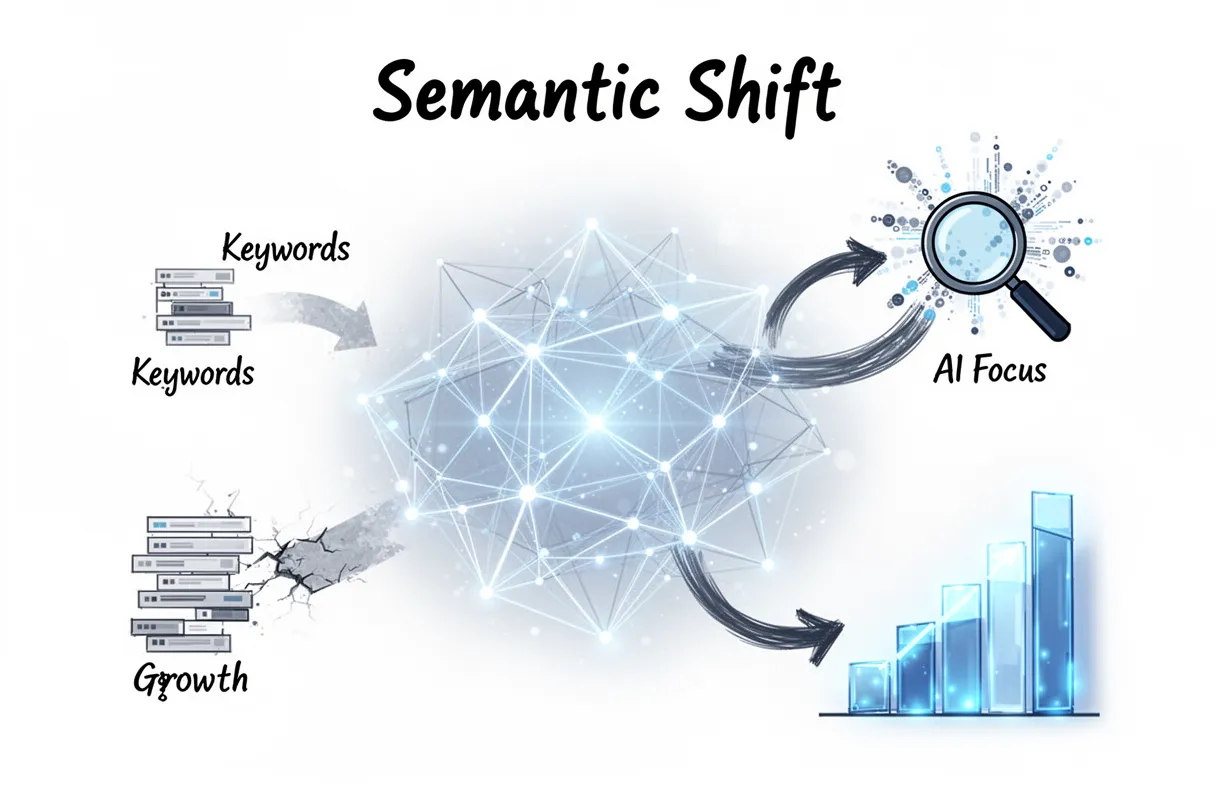
The era of simple keyword lists is over. Semantic mapping directly addresses the seismic shift in how AI search engines interpret and rank content, moving beyond isolated terms to understand the deeper contextual relationships between entities.
Search Generative Experiences (SGE) don’t just find keywords; they synthesize information to answer complex queries directly. And this means clicks to your site are plummeting.
In 2026, zero-click searches account for 65% of all Google queries, according to industry observations. This metric alone proves that just ranking for a term isn’t enough when AI often provides the answer upfront.
AI engines prioritize comprehensive topical coverage. They seek out sites that demonstrate deep expertise across an entire subject, not just those optimizing individual articles for single keywords.
This is why a Semantic Content Network (SCN) drives compounding growth. Each piece of content supports and strengthens every other, creating a verifiable knowledge graph that AI can trust.
Ultimately, semantic mapping aligns perfectly with the E-E-A-T (Experience, Expertise, Authoritativeness, Trustworthiness) framework. It proves your brand isn’t just saying it’s an expert; it’s demonstrating it through a tightly woven web of interconnected information. We’re not guessing what users need; we’re mapping knowledge.
Prerequisites for building your map
Building your semantic map demands specific technical foundations and the right toolkit. You need to establish critical infrastructure before diving into mapping itself.
First, secure a Google Cloud Platform (GCP) account. This isn’t optional. It acts as the backbone for several key processes later on, especially for entity extraction.
Crucially, enable billing for your GCP project. The Natural Language API is a powerhouse for understanding text, but it’s a paid service (though initial usage tiers are often free). Skipping this step stalls everything.
Next, you need access to robust SEO tools. Semrush or Ahrefs are industry standards for competitor analysis and keyword research—even in a semantic world, understanding query intent matters.
A functional Content Management System (CMS) is also required. Whether it’s WordPress, Shopify, or Webflow, your site needs a platform ready to receive and publish the content you map out. (This implies your website structure is already in place).
Finally, a foundational understanding of Natural Language Processing (NLP) is key. This helps you interpret the raw data from Google’s API, recognizing how machines parse and categorize human language. You don’t need to be a data scientist, but a basic grasp of how NLP works makes the entire process clearer.
We’ve found that setting up these prerequisites correctly prevents frustrating roadblocks later. Because rushing through them often means starting over.
The 22-step sequence for topical mapping
Topical mapping involves a detailed, multi-stage process, not a quick fix. We’ve distilled it into a 22-step chronological sequence, designed to systematically build your authority from the ground up. This isn’t something you rush; a comprehensive map for an entire niche can take several weeks to execute properly.
This meticulous approach is critical. According to recent findings, 88% of SEOs believe topical authority is very important for their overall strategy. It’s about building a robust content strategy roadmap that speaks directly to user intent and search engine sophistication.
Here’s the high-level sequence we follow:
- Identify Core Business Entities: Pinpoint the main concepts central to your business.
- Define Target Audience Personas: Understand who you’re speaking to.
- Initial Seed Keyword Research: A starting point to gauge audience interest.
- Competitor Analysis (Topical Gaps): See what rivals miss.
- Entity Extraction (Manual Seed): Pull initial entities from top-performing content.
- Google Cloud Project Setup: Establish the technical backend for API calls.
- Natural Language API Configuration: Prepare the tool for entity processing.
- Automated Entity Extraction (Broad): Use the API to identify entities across a wider content set.
- Entity Grouping & Clustering: Organize related entities into logical groups.
- Intent Mapping (User Journey): Connect entities to user search intent at different stages.
- Content Type Identification: Determine the best format for each entity (blog, landing page, video).
- Content Brief Generation (Initial): Draft outlines for core content pieces.
- Internal Link Opportunities (Seed): Identify initial connections between potential content.
- Content Audits (Existing Assets): See where your current content fits, or fails.
- SERP Analysis (Entity Dominance): Observe what entities dominate top results.
- Question-Based Entity Expansion: Find common questions related to your entities.
- Refine Topical Clusters: Group related content ideas into pillar topics.
- Map Content to Clusters: Assign specific articles or pages to each cluster.
- Develop Content Production Schedule: Plan out when content gets created.
- Implement Semantic Interlinking Strategy: Create deliberate links connecting content around entities. (This is where a deeper understanding of strategic entity focus becomes crucial.)
- Establish Tracking & Measurement KPIs: Define how you’ll monitor success.
- Continuous Feedback Loop & Iteration: Semantic maps are living documents.
This roadmap moves you past fragmented keyword lists into a cohesive, authority-building content strategy. Because your goal isn’t just traffic; it’s being the definitive source.
Step-by-step entity extraction in Google Sheets
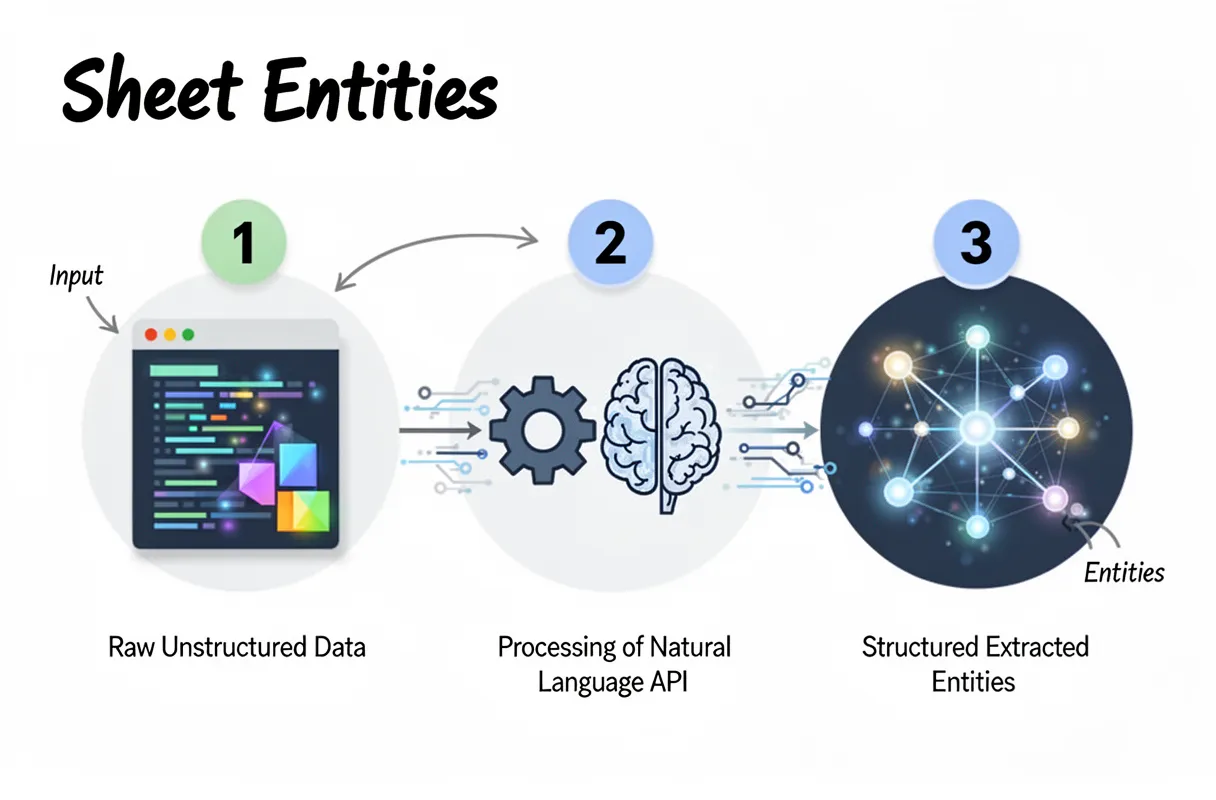
Extracting entities directly within Google Sheets streamlines the initial data gathering for semantic maps, making complex information actionable right where you manage your content plans. This process leverages Apps Script to interact with the Google Natural Language API, transforming raw text into structured insights.
Here’s how to set up basic entity extraction in your sheet:
- Prepare Your Content: Start with your content pasted into a single column in Google Sheets. Each cell should contain a distinct piece of text (e.g., a paragraph, a product description, or an article summary). Ensure your text is clean and ready for analysis.
- Open Apps Script Editor: Navigate to
Extensions > Apps Scriptwithin your Google Sheet. This opens a new browser tab for the Apps Script project associated with your spreadsheet. (You’ll need a Google Cloud Project with the Natural Language API enabled, which we detail elsewhere.) - Insert the Entity Extraction Function: Paste your custom Apps Script function into the editor. This function typically takes a cell’s text, sends it to the Natural Language API, and parses the JSON response for identified entities. We recommend a function that filters for common entity types like people, organizations, and locations.
- Connect to Natural Language API: Your Apps Script needs your API key to authenticate requests to the Natural Language API. Store this key securely within the script properties or as a global variable, never hardcoded directly into the function itself. This is a security best practice.
- Run the Extraction Function: Back in your Google Sheet, select an empty cell next to your content. Type
=EXTRACT_ENTITIES(A2)(assuming your content is in cell A2). Drag this formula down your column to apply it to all your content cells. The script will execute, sending each text chunk to the API. Be aware of API rate limits here. Processing thousands of cells too quickly might hit your daily quota. We often implement batch processing within the script to handle large datasets efficiently. - Review Extracted Entities: The adjacent column will now populate with a list of extracted entities for each content piece. These are the core nouns and noun phrases that the Natural Language API identifies as significant topics. This raw list forms the bedrock of your semantic map.
This hands-on process directly connects your content strategy to Google’s understanding of entities. It gives you a high-fidelity data set to work with, moving past guesswork into data-driven decision-making.
And that’s the starting point. Next, we will dive into interpreting these entity extraction results and seeing what they actually mean for your content strategy.
How to set up the Google Cloud Project
Connecting to Google’s powerful Natural Language API demands a proper project setup. This ensures your entity extraction efforts are authenticated and scalable.
Here’s how to configure your Google Cloud Project for semantic mapping:
- Access the Google Cloud Console: Open your web browser and navigate directly to the Google Cloud Console. (You’ll need an active Google account for this step.)
- Create a New Project: From the project dropdown at the top, select “New Project.” Give it a descriptive name – something like “Semantic Mapping Project” works well. This keeps your API usage organized.
- Search for the Natural Language API: Use the search bar within the Cloud Console. Type in “Cloud Natural Language API” to quickly locate the service.
- Enable the API: Click on the Cloud Natural Language API result. Then, simply click the “Enable” button on the API overview page. This activates the service for your newly created project.
- Generate Your API Key: Navigate to the “APIs & Services” section on the left-hand menu, then select “Credentials.” Under the “Credentials” tab, click “Create Credentials” and choose “API Key.” This generates a unique string of characters. This is your API key. Treat it like a password; keep it secure, and never hardcode it directly into client-side code. We recommend restricting its usage to specific IP addresses or referrer domains for added security.
This API Key is what authenticates your Google Sheets Apps Script to the Natural Language API. It’s the gatekeeper, allowing your extraction requests to pass through Google’s infrastructure.
Configuring the Apps Script for Sheets
Accessing Google Apps Script integrates your spreadsheet directly with the Cloud Natural Language API, automating the entity extraction process right within your familiar environment. This setup streamlines data flow from cell content to structured entities, making your sheets powerful data processors.
Here’s how to configure your Apps Script:
- Open Google Apps Script: In your Google Sheet, navigate to Extensions > Apps Script. This launches a new browser tab with the script editor.
- Rename the Project: Give your project a clear name, like “NL API Entity Extractor.” It helps with organization later.
- Insert the Fetch Function: Replace any default code with a new function. This function uses the Fetch API to send data to Google’s service.
function extractEntitiesFromCell(text) {
  const apiKey = "YOUR_API_KEY"; // Replace this with the API key you generated
  const apiUrl = "https://language.googleapis.com/v1/documents:analyzeEntities?key=" + apiKey;

  const requestBody = {
    document: {
      type: "PLAIN_TEXT",
      content: text
    },
    encodingType: "UTF8"
  };

  const options = {
    method: "POST",
    contentType: "application/json",
    payload: JSON.stringify(requestBody)
  };

  const response = UrlFetchApp.fetch(apiUrl, options);
  const jsonResponse = JSON.parse(response.getContentText());

  // Basic error handling
  if (jsonResponse.error) {
    return jsonResponse.error.message;
  }

  // Extracts entity names, types, and salience for display
  const entities = jsonResponse.entities;
  if (!entities || entities.length === 0) {
    return "No entities found.";
  }

  const extractedData = entities.map(entity => {
    return `${entity.name} (${entity.type}) [Salience: ${entity.salience.toFixed(2)}]`;
  }).join("; "); // Using semicolon for better readability when concatenating

  return extractedData;
}
This script defines extractEntitiesFromCell, a function ready to process text from any sheet cell. It builds a JSON payload, sending your content to Google’s CNL API endpoint.
- Save the Script: Click the Save Project icon (it looks like a floppy disk) in the toolbar. This is a simple, critical step.
- Set Permissions (First Run): The first time you execute this script, Google will prompt you for authorization. Grant the necessary permissions for the script to connect to external services. (This isn’t always immediately clear, but it’s crucial for script functionality.)
You’re now ready to use this function directly within your Google Sheet. And it allows you to transform raw text into structured entities with powerful spreadsheet automation.
Interpreting entity extraction results
The raw output from your entity extraction script isn’t just a jumble of words; it’s a granular semantic fingerprint of your content, revealing the core subjects and their contextual relevance. This data becomes your guide for understanding topical authority and finding critical knowledge gaps.
A salience score accompanies each extracted entity, numerically indicating its importance within the analyzed text. Entities with higher salience scores (typically above 0.10 or 0.20) are the core concepts your content addresses. These are the big ideas your article wants Google and other LLMs to associate with your brand.
The Google Natural Language API also assigns an entity classification (e.g., PERSON, ORGANIZATION, LOCATION, EVENT, CONSUMER_GOOD). This provides crucial context, showing if your content emphasizes individuals, corporate entities, geographical areas, or specific products. (Sometimes the API can misclassify, so a quick human check helps).
You use these detailed results to find content gaps. Compare the high-salience entities in your article against those found in your top-ranking competitors’ content. If a competitor consistently ranks for “AI search intent” or “large language models” with high salience, but your content barely registers these terms, you’ve identified a direct semantic void.
We also use this to ensure topical breadth. A low salience score for an expected core entity might signal that you’ve only superficially covered an important sub-topic. It pushes us to build out more comprehensive content.
This analytical step ensures your content isn’t just “about” a topic, but deeply covers it from every angle Google’s algorithms now expect. It’s a proactive measure against future search updates.
Visualizing entity relationships with Python
Visualizing entities transforms raw data into actionable insights, showing you the semantic fabric of your content. After identifying individual entities and their salience, seeing how they connect provides the deeper context required for advanced content strategy.
Python offers a powerful toolkit for this, specifically libraries like NetworkX and Matplotlib. We use these to map the complex web of relationships between terms extracted from your content, moving beyond simple lists to an actual knowledge graph.
Building an Entity Relationship Graph
Creating this visual map requires a few key steps with Python. You’ll take the structured entity data from your Google Sheet (the output from the previous extraction process) and prepare it for graph representation.
First, load your extracted entities and their associated salience scores into a Python dataframe. Then, identify co-occurring entities within sentences or paragraphs. These co-occurrences become the foundation of your graph’s edges.
- Prepare Data: Import your clean entity list, including entity names and salience scores. This acts as your node data.
- Define Connections: We establish relationships (edges) between entities that frequently appear together. A simple approach is to link entities if they appear within the same sentence.
- Construct Graph: Use NetworkX to build the graph structure. Each entity becomes a node. Co-occurring entities form edges, potentially weighted by frequency or combined salience.
- Render Visualization: Matplotlib then renders this graph into an intuitive visual representation. You can adjust node size based on salience and edge thickness based on connection strength.
This process gives you a dynamic map. You can see clusters of related topics and how central entities bridge different semantic areas. (Think of it as exposing the hidden conversations within your text.)
For verifying entity details or understanding the API’s categorizations, consulting the official google’s natural language api documentation is always a smart move. It outlines how entity types are assigned.
Interpreting the Visual Map
Once visualized, the entity relationship map reveals patterns far harder to spot in spreadsheets. You’ll instantly see central entities that act as hubs, connecting many other terms. These are typically your core topics, but their interconnectedness confirms their importance.
We also look for semantic gaps. If a crucial sub-topic appears isolated or has weak connections, it suggests your content hasn’t fully explored its relationships to other core concepts. It’s an obvious flag for deeper content expansion.
And this visual approach exposes potential internal linking opportunities. If two entities are strongly connected in your graph but not explicitly linked in your actual content, that’s a missed chance for reinforcing topical authority. We leverage these insights directly to strengthen content architecture.
After creating your visual entity map, you should cross-reference its insights with your competitor analysis. Identify areas where their content displays stronger, more diverse entity relationships. This tells you exactly where to focus your content efforts next.
Building the map automatically with FlipAEO
Forget the manual spreadsheets and Python scripts for visual mapping; FlipAEO automates the entire process. Our platform handles the complex entity extraction and relationship visualization directly, turning your site’s content into an actionable strategic blueprint without any technical overhead. This means you skip the laborious setup of Google Cloud projects and Apps Script configurations.
We built FlipAEO to translate raw content into clear semantic maps. It moves past simply identifying entities. Instead, it instantly pinpoints their interconnectedness.
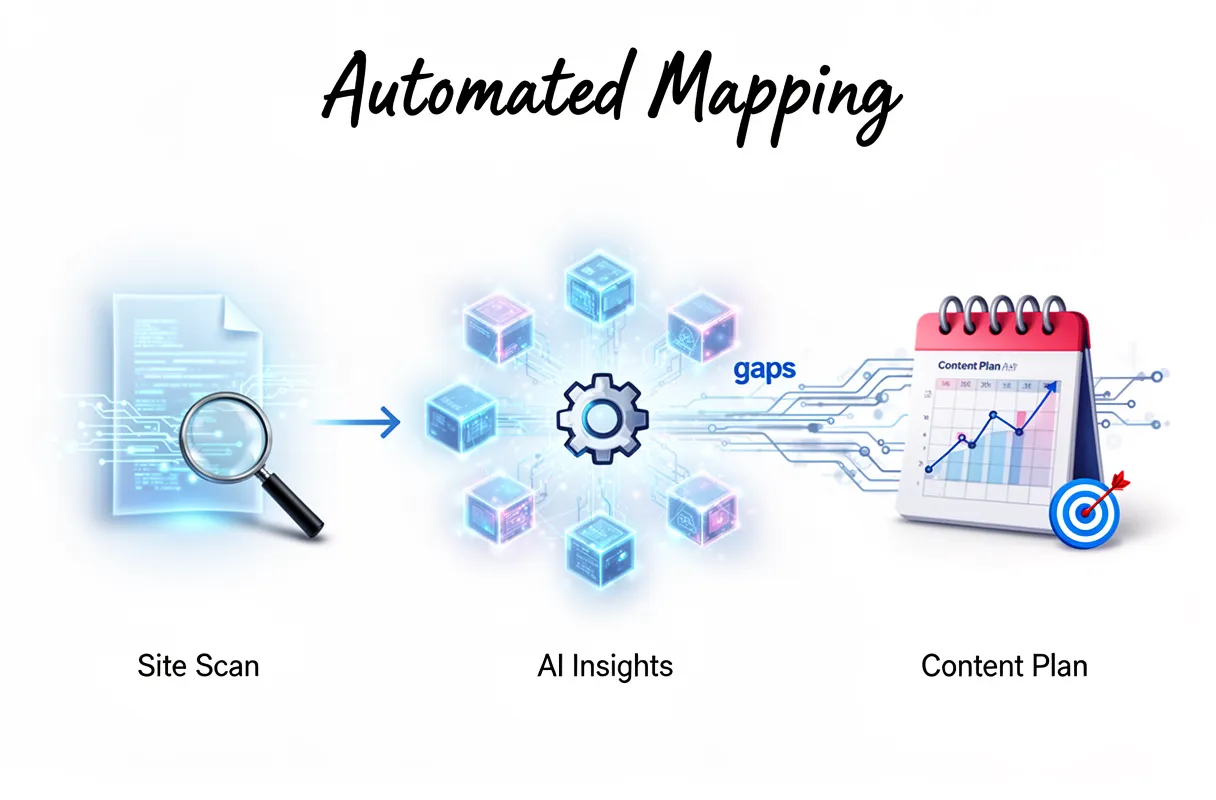
Here’s how FlipAEO builds your semantic map automatically:
- Reads Your Brand DNA: FlipAEO first ingests your existing website content, product descriptions, and brand messaging. It processes this data like a highly trained human analyst, understanding the core themes, unique value propositions, and the subtle nuances that define your brand. This initial phase establishes your brand DNA in the semantic map.
- Studies Category Gaps & AI Answers: Next, our tool analyzes the current search landscape, specifically focusing on what AI models (like Google SGE or Perplexity AI) prioritize in your category. It identifies semantic gaps where your brand isn’t fully represented. And it pinpoints where competitors fall short or where AI itself provides incomplete answers.
- Generates Intent-Based Content Plans: From this analysis, FlipAEO doesn’t just give you a map; it delivers a concrete automated content planning strategy. You receive an intent-based 30-day content plan. This plan directly targets identified gaps and opportunities, ensuring every piece contributes to your overall AI search domination. No keyword lists are needed. No manual prompt engineering either.
The system bypasses the tedious steps of entity extraction in Sheets or visualizing relationships with Python. You eliminate the potential for human error inherent in manual tagging or data interpretation.
For optimal results, however, remember that proper site architecture and clean content are always key. While FlipAEO handles the heavy lifting, a well-structured site makes the mapping even more precise. It’s a faster path to visibility.
How FlipAEO handles category research
Our platform meticulously analyzes your entire industry category, extending far beyond your immediate brand entities, to pinpoint critical information gaps and underserved user intents. We don’t just look at what you say; we examine what the market isn’t saying effectively.
This involves processing vast datasets of search queries, trending topics within your niche, and existing AI-generated summaries across platforms like Google SGE and Perplexity AI. We look for patterns. We look for holes.
Current AI models often struggle with nuance or deeply specific, long-tail questions. They provide surface-level answers, leaving users wanting more detail. We identify these poorly explained topics where simple AI answers fall short.
Specifically, our category research identifies:
- Semantic Voids: Concepts directly relevant to your audience that lack comprehensive, authoritative content.
- Misunderstood Intent: Queries where existing answers consistently miss the true underlying user need.
- Emerging Entities: New topics or sub-niches gaining traction, ripe for early authoritative coverage.
These aren’t just missing keywords; these are strategic opportunities. By focusing on these missing angles, you position your brand as the definitive authority, filling critical knowledge gaps before competitors even realize they exist. It builds genuine expertise.
It’s a complex dance. AI search thrives on completeness and precision, yet often overlooks the subtleties a human expert would immediately grasp. Our tool bridges that exact divide.
This deep understanding of the category then directly fuels the creation of a truly intelligent content strategy for your brand.
How FlipAEO automates semantic interlinking
FlipAEO automates internal linking by mapping content relationships across your sitemap using vector embeddings, ensuring relevant connections without manual effort. This process streamlines your site’s structure.
We process every piece of content you have, transforming it into dense numerical representations. These vector embeddings capture the deep semantic meaning of your pages, not just surface-level keywords.
Our platform then analyzes your sitemap. It identifies content clusters and topic authority, much like an expert editor. But it does this at scale, connecting hundreds or thousands of pages instantly.
This means optimal discoverability for both users and search engines. Your critical content becomes easier to find. And search engines understand your topical expertise more readily.
AI search engines rely on understanding intricate relationships between entities, forming what we call digital knowledge graphs. Our linking strategy mirrors this by building your site’s own internal knowledge map.
We don’t simply link to related terms. We identify the most contextually relevant content based on semantic similarity. (This is a significant shift from traditional keyword-based linking.)
The result is a logically interconnected website. This structure amplifies your existing authority and funnels users deeper into your most valuable content.
Troubleshooting common semantic mapping errors
Even with the best tools, semantic SEO mistakes creep into mapping efforts. Understanding these pitfalls saves countless hours and prevents your content from misfiring in AI search.
One common issue is over-optimizing for a single entity. This can lead to content that feels like old-school keyword stuffing, lacking genuine depth or natural language flow. Your content needs to embrace an entire concept, not just a keyword.
We see teams struggle when trying to manually build or tweak their semantic maps, especially with technical elements. A frequently encountered problem involves broken JSON in Apps Script, often due to hitting character limits or malformed syntax during entity extraction. Fixing this is tedious.
And it’s a huge time drain. (The script just stops working, and you have no idea why at first.)
Another significant error is mapping pages to too many conflicting intents. This scatters your authority. Google’s algorithms, including SGE, thrive on clear, focused intent. When a single page tries to answer multiple, unrelated user queries, it dilutes its power.
You end up with a page that doesn’t rank definitively for anything.
Consider the effort: a comprehensive manual map for even a small, niche site can take 20-30 hours of intense analysis. Our platform handles this in minutes, not days. We built FlipAEO to sidestep these manual traps entirely.
We focus on preventing intent conflict by analyzing an entity’s primary relevance before assigning it to a content cluster. This ensures each piece of content serves a distinct, high-value purpose. Our system validates JSON structures automatically, eliminating those frustrating JSON errors before they even occur.
The real game-changer? Automation means you don’t spend hours debugging. You spend minutes reviewing an optimized map.
This proactive approach to error prevention gives your brand a solid foundation for dominating AI search.
Verifying your semantic authority
Verifying your semantic authority means confirming your content isn’t just ranking; it’s actively shaping AI responses. A higher Domain Rating (DR) looks good, but it’s a vanity metric if AI Overviews aren’t citing your expertise.
True authority in the current search landscape extends beyond traditional page-one rankings. Your brand needs to be synthesized into generative AI results.
In fact, brands with strong topical authority often see 2-3x more citations in AI Overviews. This isn’t just about traffic anymore. It’s about becoming a trusted data source.
To confirm this, regularly check Search Generative Experience (SGE) for your core entities. Observe if Google’s AI synthesizes your site’s content directly into its generated answers. This requires a keen eye.
Look for your specific insights, data points, or unique phrasing appearing in the SGE snapshot. That’s the ultimate AI search citation—when your brand becomes a recognized source of truth for the AI itself.
This verification is a continuous process. You’re looking for consistent patterns, not one-off mentions. Consistent citations signal that your semantic map is robust, and your content truly holds topical authority in the eyes of AI.
Next steps for AI search domination
True AI search domination extends beyond initial semantic mapping; it requires continuous, explicit refinement of your entity relationships. This isn’t a “set it and forget it” task. You need an active strategy to keep your brand at the forefront of generative AI responses.
For search engines to truly grasp your content’s context, you must make entity connections explicit using Schema.org structured data. This means implementing properties like sameAs to link your entities directly to Wikidata identifiers.
Think of it as providing a universal language for your expertise. Our platform offers a powerful structured data tooling to streamline this complex process, ensuring every entity on your site speaks clearly to search algorithms.
Continuous refinement also demands vigilant competitor entity analysis. You need to understand which entities your rivals are owning, and more importantly, how their content models connect those entities.
Tools, for instance, like Diffbo, offer a glimpse into these patterns. But really, it’s about proactively identifying content gaps and semantic opportunities before your competition even realizes they exist.
While external tools provide useful data points, we integrate competitor entity insights directly into our mapping recommendations. This means you don’t just see what they’re doing; you get actionable strategies on how to outperform their semantic reach.
Your brand’s voice must be the most authoritative.
To stay ahead, make explicit entity mapping and continuous competitive analysis a core part of your ongoing content strategy. It’s not a one-time setup. It’s an ongoing process of asserting your brand’s definitive authority in the evolving AI search landscape.